Make Issues: New Features for Make Automation Scenario Management

3 New Ways to Manage Automation More Easily and Safely
AI and automation are like two puzzle pieces that complete each other.
For both to work properly, you need an automation platform that is not only feature-rich but also stable.
With the three powerful new features introduced today, you can gain the control and flexibility to build important automations more easily and scale them as much as you want.
Let's take a look at what these features are and what kind of value they can actually create.
Scenario Run Replay for Faster Testing
Available now on all plans
Imagine a critical automation that processes routine financial transactions suddenly stops working.
There could have been a temporary issue with an external API, or the received data might have been incorrect.
Until now, you had to manually find the original data and re-run the scenario. This was not difficult for simple tasks, but it was not always easy when things got complicated.
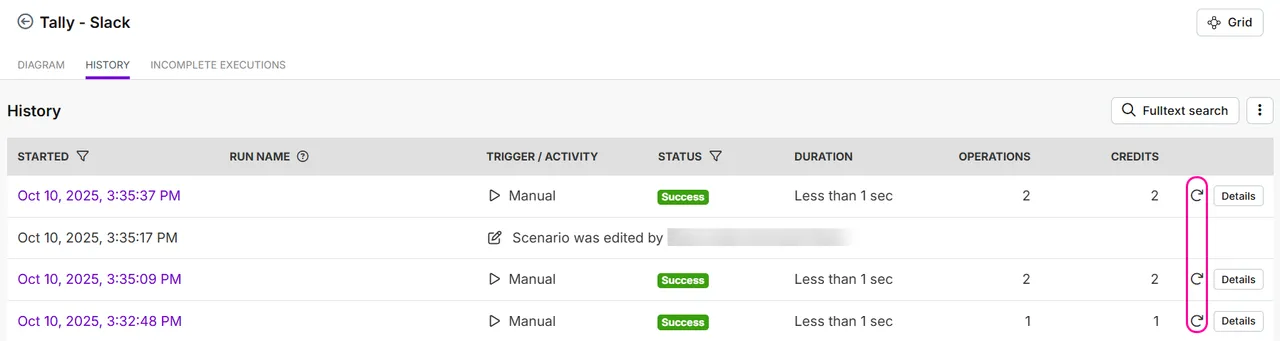
With the new Scenario Run Replay feature, you can re-run any scenario—whether it failed or succeeded—using the exact same trigger data from the original run.
Simply scroll through your scenario history and click the replay icon to find errors and prevent data loss with a single click.
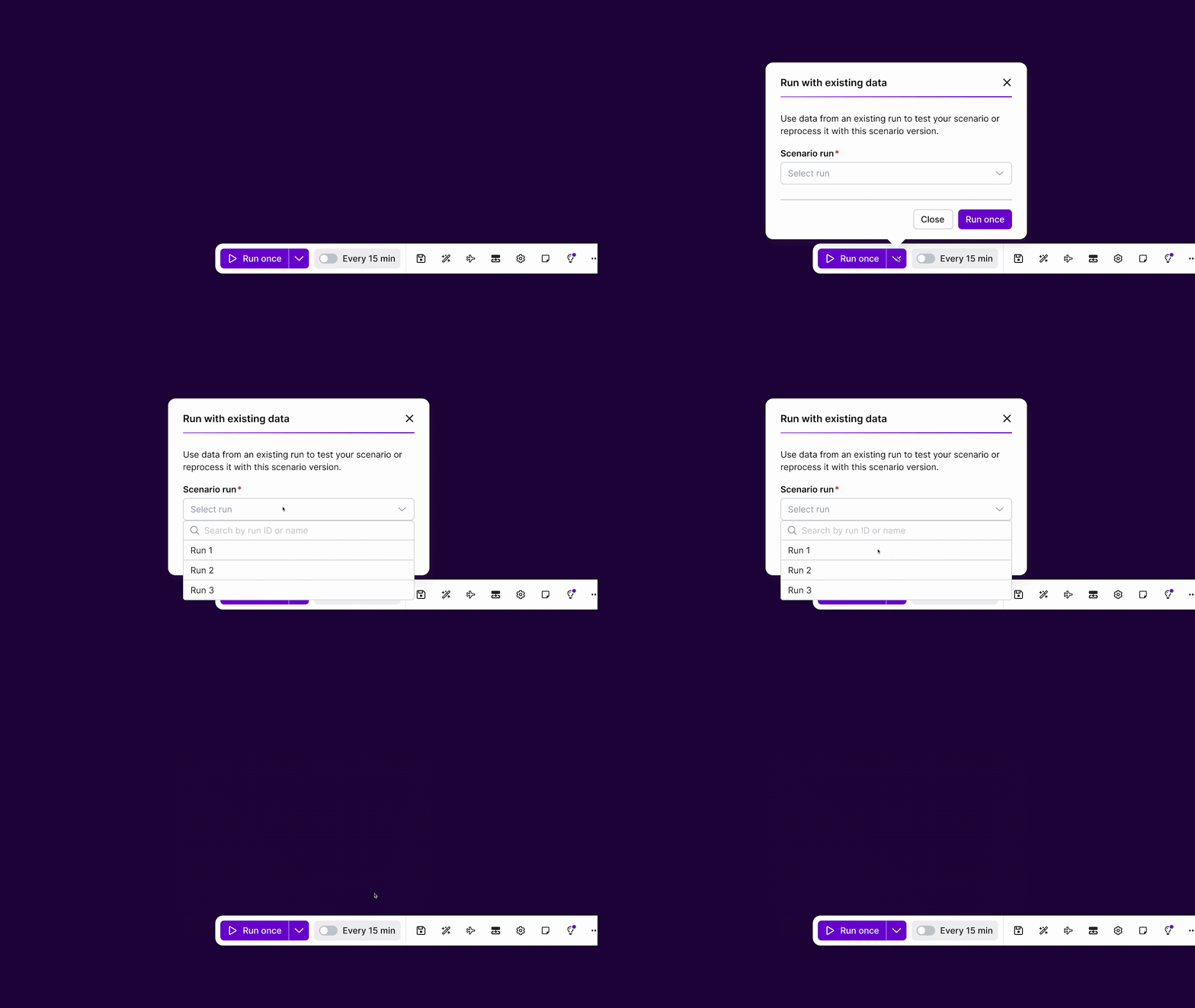
You can also use the Scenario Run Replay feature directly in the Scenario Builder to validate new logic with actual past data.
If you want to truly master error handling and build more complex features for truly critical scenarios, be sure to check out the step-by-step Scenario Run Replay guide.
Custom Run Naming
Available now on all plans
No matter how powerful the Scenario Run Replay feature is, it would be even more effective if you could easily find the exact run you want to fix, especially for high-volume scenarios.
To make things clear at a glance and keep your history easy to read, we created the Custom Run Naming feature.
You can now pull data directly from modules to name each scenario run.
Just add a scenario module to your scenario, add a natural label in the 'Run Name' field, and map the desired bundle.
This way, you can label each run with names like "New Customer: Unknown Customer" or "New Customer: John Smith".
In other words, your logs become immediately human-readable records.
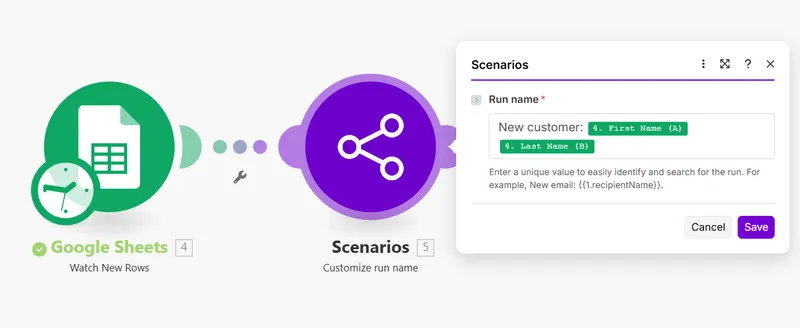
And just like other modules in the scenario app, naming runs doesn't cost any extra credits.
It simply speeds up troubleshooting and lets you see exactly what each run did at a glance.
If you want to start using it right away, check out the full setup guide for Custom Run Naming.
Scenario Rate Limiting to Prevent Overload
Available now on all plans
A powerful automation engine needs to run reliably, especially under pressure.
Everyone has experienced a situation where thousands of webhooks flood in at once.
While scenarios try to process them immediately, if the connected app's API can't handle the sudden surge, it can lead to rate limits, failed calls, and malfunctioning automations.
To manage unexpected high-volume surges and protect your workflows, we created the Scenario Rate Limiting feature.
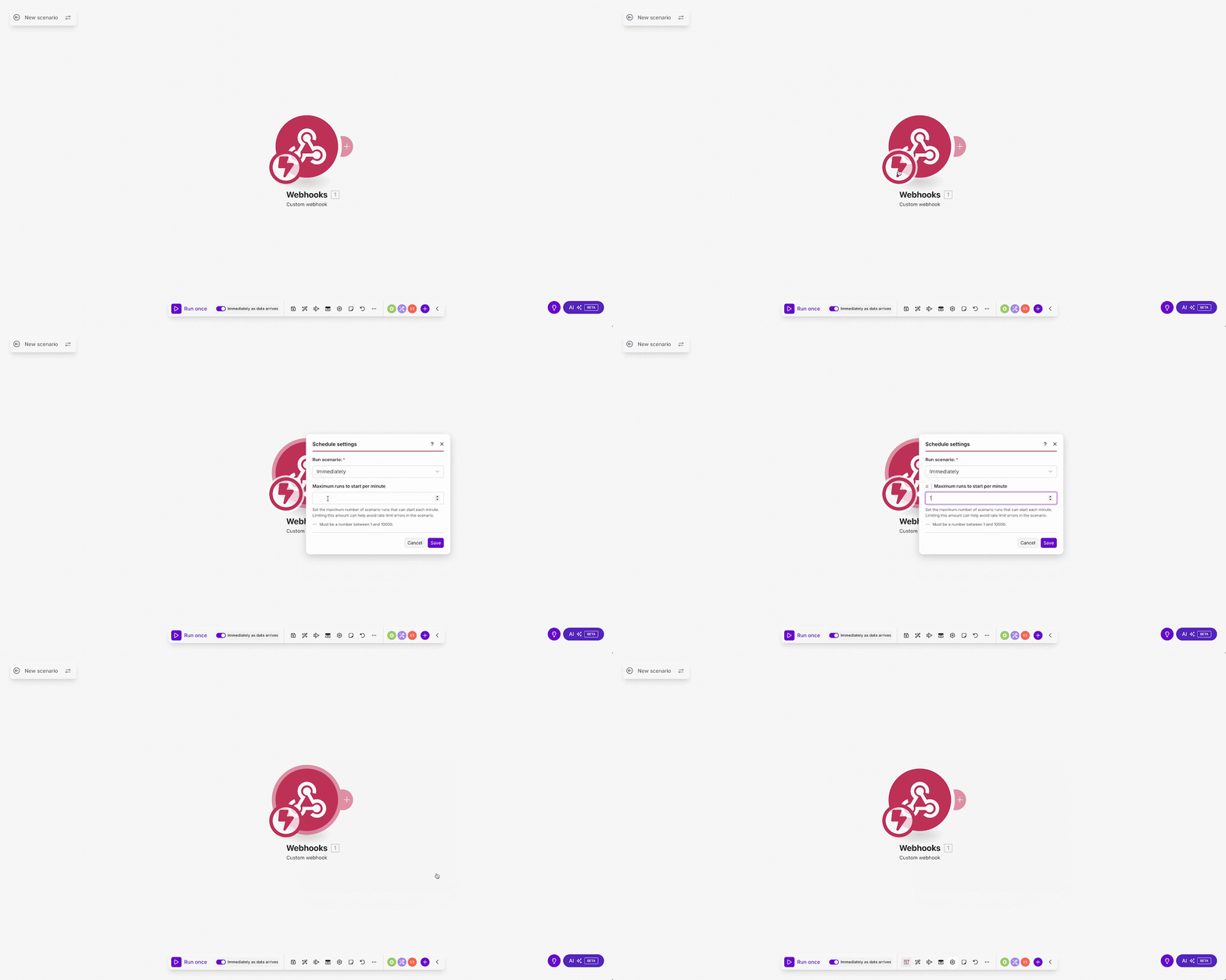
With this feature, you can set a 'rate limit' on your scenario, directly controlling the maximum number of executions per minute.
This ensures stability, respects external API limits, and lets you run your automations with confidence.
You can rest assured that your scenario processes all incoming data at a safe, consistent pace.
Be sure to check out the guide on how to set up Scenario Rate Limiting.
Conclusion
The features introduced above are some of the most useful and recent features that we had the opportunity to showcase directly to select customers at our annual customer event, Waves '25.
But beyond these, many more new features and major changes were announced by the Make Product team, all focused on helping you work with greater clarity and confidence when building, accelerating, and scaling with automation and AI.
IMPAKERS Blog | Make Waves '25 Session Key Takeaways Read more
Source: Make, "3 new ways to gain more control over your automations", https://www.make.com/en/blog/scenario-run-replay-naming-rate-limits, (2025-10-30)