AI Issues: Vibe Coding in Google AI Studio

Key Points
- Google introduced a new approach called Vibe Coding, enabling users to create AI apps with just a single prompt.
- Gemini automatically connects APIs, models, and tools behind the scenes.
- Developers can fix apps using visual annotations without touching the code directly.
- A new brainstorming feature provides various inspirations while building apps, turning wait time into a creative experience.
- This update lowers the barrier for non-coders to get started with AI development.
Google Introduces 'Vibe Coding' to Build AI Apps in Minutes
Google has embedded a newly created Vibe Coding experience into Google AI Studio, dramatically reducing the complexity of building AI-powered apps. Now developers can simply describe the app they want instead of dealing with APIs, SDKs, or connection processes, and Gemini automatically handles the technical parts. Google described this update as a significant change that lowers the wall between creativity and working software, noting that both developers and non-coders can now create AI app prototypes within minutes.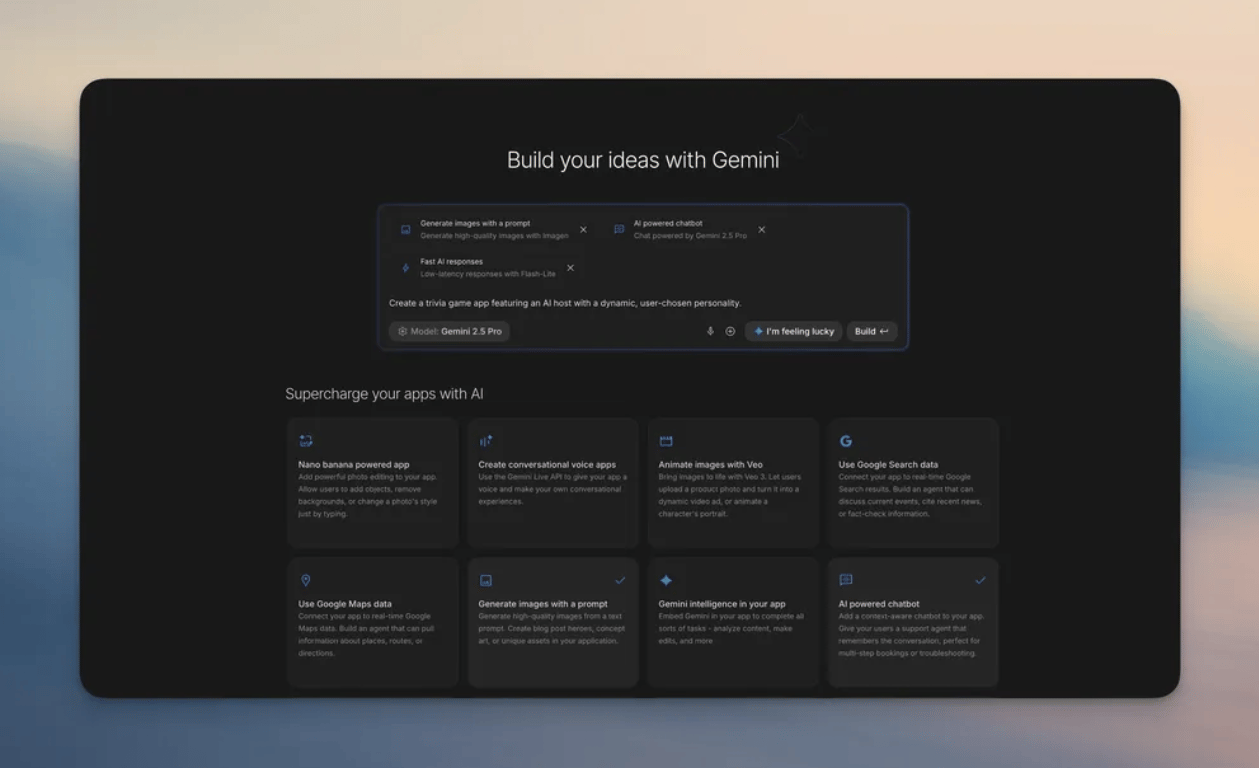
From a Single Prompt to Working Code
Through Vibe Coding, users can simply describe the app they want:- A script-to-video creation tool using Veo
- An image editing tool based on Nano Banana
- A writing assistant with citations using Google Search
App Gallery Reimagined as an Idea Generator
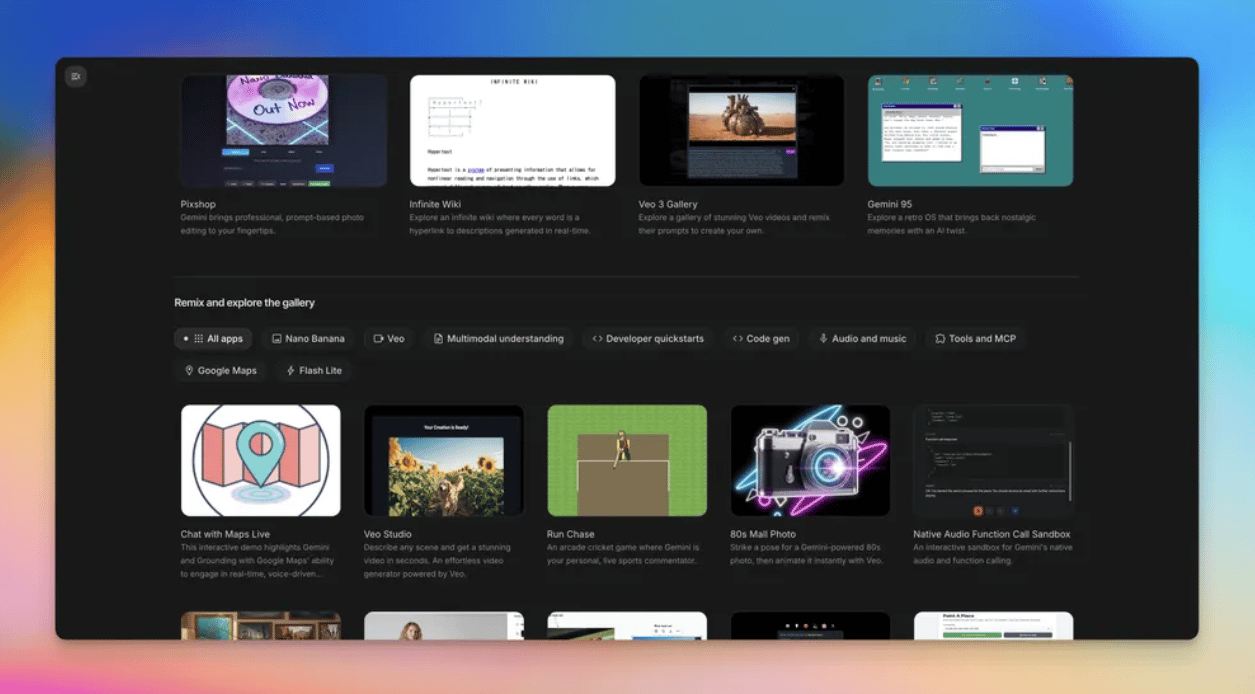
Google has redesigned the App Gallery as a visual repository of projects built with Gemini. Users can:- Check instant previews
- Learn by viewing starter code
- Remix existing apps into their own creations
- Explore use case patterns
Annotation Mode for Visual App Updates
A notable new feature, Annotation Mode, lets users point to specific elements and request changes without directly editing code or writing long prompts for modifications. For example, users can select part of the app and simply say:- "Make this button blue."
- "Make this image animate from the left."
- "Change the design of this card."
Continue Working When Usage Limits Are Reached
To prevent interruptions, AI Studio now allows users to add their own API key when free usage limits are exceeded, and automatically switches back when limits refresh. The goal is to keep building without interruption.Lowering the Barrier to AI Creativity
Google emphasizes that Vibe Coding is not just a feature addition but part of a larger shift to make AI app development accessible to everyone. With AI assisting at every stage (idea, build, fix), the system helps:- Developers work faster
- Non-coders create real prototypes
- Teams rapidly explore multimodal concepts
Q&A
| Question | Answer |
|---|---|
| Q1: Does Vibe Coding replace traditional development? | A: No. It speeds up prototyping, but manual coding may still be helpful for detailed customization. |
| Q2: Can non-technical users build apps? | A: Yes. It's designed to significantly lower the traditional coding barrier. |
| Q3: Can users manually edit the generated code? | A: Yes. Gemini creates an editable scaffold that can be further refined. |
| Q4: What models power the experience? | A: Google's Gemini models power the multimodal capabilities behind the scenes. |
| Q5: Is annotation-based editing accurate? | A: Gemini interprets the instructions and updates the underlying implementation accordingly. |
Implications
Vibe Coding signals a shift in how we think about, build, and fix software. Developers can eliminate the hassle of connecting models, linking APIs, and manually fixing code, focusing more on creativity and less on configuration. Faster fixing means more room to explore ideas that were previously blocked by technical complexity. For businesses, this means faster prototyping cycles and lower experimentation costs, allowing teams to evaluate new concepts before fully investing in production teams. For students, hobbyists, and entrepreneurs, this technology levels the playing field, making it easier than ever to build multimodal apps. Going forward, the advantage won't belong to those who write the most code, but to those who can imagine the most compelling experiences. As technical barriers lower, the importance of ideas, user experience, ethics, and human-centered design grows. Ultimately, tools like Vibe Coding remind us that the future of software is not just about building apps faster, but about empowering more people to shape the possibilities of technology. When anyone can develop with AI, imagination becomes the new foundation.IMPAKERS Blog | Anthropic Launches Claude for Life Sciences Read more
Source: Alicia Shapiro, AiNews, "Google Introduces "Vibe Coding" to Build AI Apps in Minutes", https://www.ainews.com/p/google-introduces-vibe-coding-to-build-ai-apps-in-minutes, (2025-10-27)